
Philips launches Screen Sync and HDMI Sync 2.1 for TV lighting
Signify, the maker of Philips Smart Lighting, has rolled out two TV lighting systems in Indonesia that aim to match room lights with what you see on screen. One uses a camera on top of the TV to pick up colors from the picture, the other uses an HDMI-based setup to sync lighting with playback. The products target households with growing streaming and TV use and offer controls via a smartphone app, including brightness, presets, and a mode that makes lights follow music.
What changed
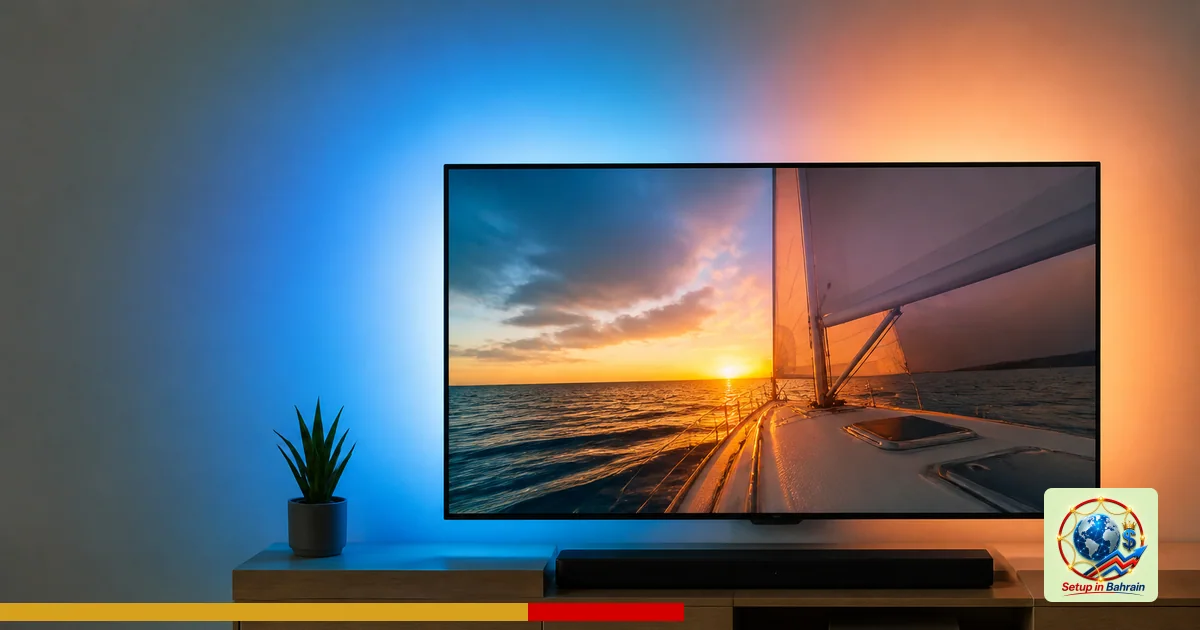
Signify announced Philips Smart Lighting TV Sync in Indonesia, introducing two hardware approaches: Screen Sync and HDMI Sync 2.1. Screen Sync relies on an external camera mounted above the TV to analyze colors across the screen in real time, then drives a rear RGBIC backlight to cast color onto the wall. HDMI Sync 2.1 connects via the HDMI port to synchronize lighting with content, though specifics of how it works are not detailed in the brief.
Key facts you should know
- Screen Sync uses a camera and does not require an HDMI connection.
- HDMI Sync 2.1 is another option that syncs lights through the HDMI interface.
- Hardware comes with RGBIC TV Backlight Strips that project ambient light on the wall.
- There are size options to fit 40–50", 55–65", and 75–85" TVs.
- Setup includes Instant Calibration and a smartphone app for brightness, presets, and a Music Sync mode that reacts to audio.
Who this affects
Households in Indonesia that buy Philips Smart Lighting TV Sync hardware may use these features to enhance viewing and listening experiences. People who prefer automatic lighting coordination with on-screen content, or who enjoy lighting that responds to music, are the target users. The announcement focuses on product availability and features rather than broader social or economic impacts.
Practical next steps
- Check whether your TV size matches the available ranges (40–50", 55–65", 75–85").
- Decide between Screen Sync (camera-based) and HDMI Sync 2.1 (HDMI-based) depending on your preference for camera use and wiring.
- Use the accompanying smartphone app to adjust brightness, pick presets, or enable Music Sync for audio-driven lighting.
- Look for installation guides or calibration steps referenced as Instant Calibration to complete setup quickly.
Limits and questions
Details about how the HDMI Sync 2.1 implementation works are not provided here. It is unclear whether the HDMI option supports all HDMI-equipped TVs or only specific Signify hardware and which streaming platforms are fully compatible. Users should verify device compatibility, privacy implications of the camera-based approach, and local availability before purchasing.
Which sources did Setup in Bahrain review?
Setup in Bahrain reviewed the following source material before preparing this explanatory article.
The links remain visible so readers can inspect the evidence, compare dates and context, and confirm current requirements with the relevant authority.
- newsy-today.com — evidence source reviewed for this article.
Information and responsibility notice: This article is general information based on the cited material available when published. It is not legal, tax, immigration, medical, financial, banking, or investment advice; it does not create a professional-client relationship; and it is not a guarantee of outcome, availability, accuracy, or eligibility. Rules, schedules, prices, and third-party information can change. Confirm material decisions with the relevant authority and an appropriately qualified adviser before acting.