
Sijilat 3.0 Guide Bahrain (2026): Step-by-Step Portal Mastery
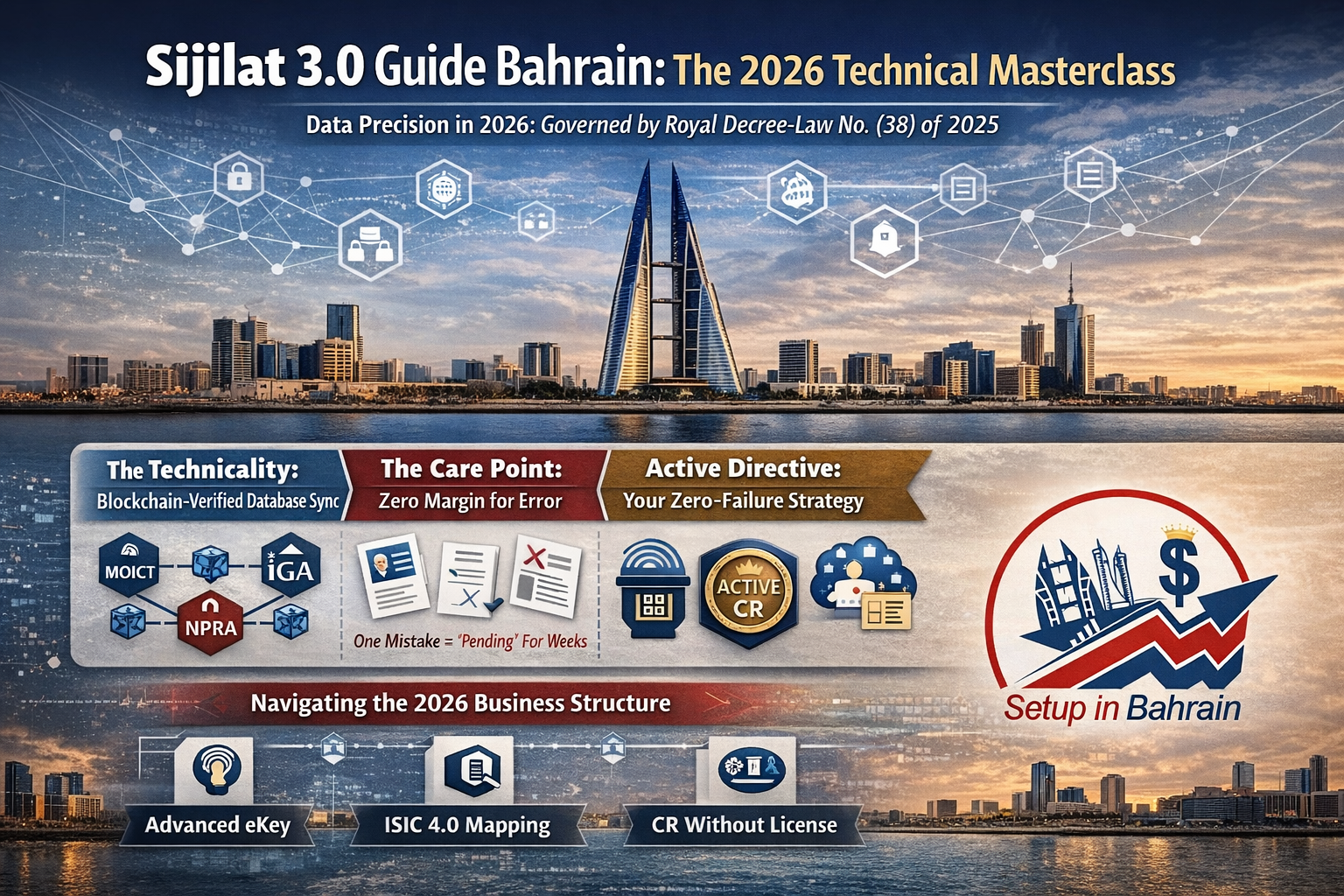
In 2026, launching a business in Bahrain with Sijilat 3.0 is no longer a matter of paperwork—it is a matter of Data Precision. Under Royal Decree-Law No. (38) of 2025, the Kingdom has moved all corporate governance to a blockchain-verified framework that demands absolute technical accuracy.
- The Technicality: The Sijilat 3.0 portal is now a synchronized engine linking the MOICT, iGA, and NPRA in real-time. This iteration uses decentralized ledger technology to validate your data instantly against national security and commercial databases.
- The Care Point: The margin for error has become razor-thin. A single misplaced digit, an unverified translation, or a low-resolution document scan won’t just cause a delay; it will trap your application in a stagnant “Pending” status for weeks.
- Active Directive: This guide is a strategic roadmap designed to help you navigate the system’s AI-filters—from Advanced eKey authentication to ISIC 4.0 mapping—ensuring a zero-failure path to your Active CR.
Navigating the 2026 Business Structure
Whether you are launching a lean Individual Establishment or a high-cap With Limited Liability (WLL) company, the Sijilat 3.0 system requires “Perfect Harmony” between your digital identity and your physical presence.
- The Biometric Barrier: Entry to the portal requires iGA Advanced eKey login (Level 3) authentication. Without this biometric verification or the assistance of an authorized Professional Body, the “Launch Service” remains locked.
- The Blockchain Edge: Your data is now immutable. Once submitted, your Master PDF (Passport, Visas, Degrees) is cross-referenced by the NPRA security engine. Any discrepancy between your digital file and the national registry triggers an automatic rejection.
- The 365-Day Window: Every “Launch” initiates a Commercial Registration (CR) Without License. This gives you exactly one year to secure your physical anchor and finalize your trade license before the system deletes the record.
Phase 1: Portal Entry & Initial Launch
Step 1: Advanced eKey Authentication
The journey begins at sijilat.bh. You must first login using your Advanced eKey.
-
The Care Point: Standard eKeys (Level 2) will block you from corporate filings. If you are a foreign investor without a CPR, you cannot login directly; you must engage a registered Professional Body (Consultant) to apply through their authorized dashboard.
-
Common Issue: Users often try to use a basic password login. In 2026, the system requires biometric verification via the National Authentication Framework to even access the “Launch” button.
Step 2: Navigating to the Registration Launch
Once logged in, follow this exact click-path:
-
Click “Start” from the top menu.
-
Select “Obtain Commercial Registration.”
-
Click the blue “Launch Service” button.
-
The Deep Detail: This specific workflow initiates a Commercial Registration (CR) Without License. This is a “pre-approval” status valid for 365 days, allowing you to lease space and open a bank account before the final license is issued.

Phase 2: The Core Application Details
Within the “Launch Service” screen, you must navigate five critical technical sections. Precision here is non-negotiable; in 2026, the Sijilat 3.0 AI-engine validates these fields against the GCC Trademark Database and NPRA Security Protocols in real-time. To bypass the “Manual Review” trap, we utilize the Master PDF Strategy—a unified, high-definition dossier that layers your Passport, Visas, and Degrees into a single 300 DPI file. This approach ensures the NPRA officer has a complete professional profile in one click, often reducing security clearance from ten days to just 48 hours.
Step 1. Business Type and Legal Form
The Technicality: You must define your entity as either an Individual Establishment (available in traditional or virtual formats) or a Company (such as a WLL or Partnership).
The Care Point: The system performs real-time nationality-to-activity mapping. If you select an activity that requires a Bahraini Partner while designated as a 100% foreign-owned entity, the system will “Grey Out” the submission button.
Active Directive: Verify your ISIC 4.0 eligibility before selecting the legal form to avoid an irreversible error that requires a new BHD 50 application.
Step 2. Commercial Name Reservation (Linguistic & Legal Mastery)
You are required to submit three unique name suggestions in order of preference. To pass the 2026 MOICT filter, each name must meet these strict criteria:
Bilingual Precision: Every name must be provided in both English and Arabic. The Arabic version must be a precise linguistic translation or a legally accepted transliteration of the English brand.
Trademark Integrity: Your name must be Trademark-Free. We cross-reference your choices against the GCC Trademark Database. Phonetic similarity to existing brands will trigger an automatic rejection.
Activity Mirroring: The name must reflect the business’s core nature. A “Consultancy” name cannot imply “Trading.”
Common Issue: Submitting a name with restricted words like “Bahrain,” “Royal,” or “National” without pre-obtained Ministry of Interior approval, which triggers a 14-day manual review.
Step 3. List of Activities (The Descriptive ISIC 4.0 Framework)
The Technicality: Map every business goal to the International Standard Industrial Classification (ISIC 4.0 Activity codes).
The Care Point: You must provide a detailed description of the business activity in both English and Arabic.
The Deep Detail: Describe exactly how you will execute the activity. The system auto-rejects conflicting combinations, such as “Heavy Industrial” and “Food Trading,” on a single CR to prevent municipality zoning conflicts.
Step 4. Owner and Signatory Details (The NPRA Gateway)
The Technicality: Input the ID or Passport numbers for all partners, directors, and authorized signatories.
The Expert “Master PDF” Strategy: You must upload a Full Color, 300 DPI scan of your passport. However, we strictly recommend creating a Unified Master PDF.
The Order of Documentation: The first page must be your passport, followed immediately by all previous visas, residency permits, education documents, and experience letters.
Why this matters: Security clearance from the NPRA is the first and most mandatory approval. If the NPRA officer finds the passport scan insufficient or lacks professional context, the application is rejected instantly. A comprehensive PDF bypasses manual “doubt” and accelerates the security clearance.
Step 5. Contact Information and Address (The Professional Profile)
The Care Point: You must utilize a Corporate Domain Email (e.g., director@yourbrand.com).
The Professional Advantage: While the system allows generic providers, a corporate email adds immense value to your profile. It signals to the government officer that you are a serious, established entity.
The Human Touch: In the 2026 digital economy, using a professional domain builds immediate trust, reduces the likelihood of secondary identity audits, and ensures your corporate identity looks polished and ready for Bahraini trade.

Phase 3: The “Obtain License” & Physical Anchor
Once you have paid the BHD 50 fee and secured your CR Without License and CR Extract, you have exactly one year to link your entity to a physical address. To move from a “Paper Company” to an “Active Entity,” you must return to sijilat.bh, click “Start” from the menu, and select “Obtain License.”
Step 6: Initializing the License Workflow
Your first technical action is to input the CR Number issued in the previous phase. This “calls” your company’s preliminary data from the MOICT database and opens the licensing module specifically for that entity.
Step 7: The Address Step (Geographic Mapping)
Instead of a general location, the system requires granular geographical coordinates for your premises. You must manually input:
Shop/Office Number, Building Number, Road Number, and Block Number.
Contact Links: A verified Mobile Number and Email Address.
Expert Tip: While a personal email works, utilizing a Corporate Domain Email adds significant value to your profile. It signals professional stability to the municipality officer during the “Digital Inspection.”
Step 8: The Amendment & UBO Declaration Step
This is the most critical compliance window in the 2026 system. Before generating your Deed of Association, you must finalize your corporate structure.
The “Final Edit” Window
You may now Add/Delete Partners or Change Capital to reflect your final banking and investment strategy.
The UBO Declaration requirements (Ultimate Beneficial Owner)
You must declare the human being(s) who ultimately own or control the company. This applies to your own shares and the UBO of any corporate partners involved.
The “Individual” Rule: A UBO must be a natural person (an individual), not another company.
Identity Mapping: You must provide the CPR or Passport Number, a direct Contact Number, and a verified Email Address for the UBO. Whether the UBO is yourself or a third party, the data must be 100% accurate for AML (Anti-Money Laundering) clearance.
Step 9: The Upload Step (The Mandatory Dossier)
The “Upload Step” is where the municipality officer conducts their virtual audit. One missing or blurry file here will trigger an “Incomplete Application” status. You must attach:
UBO Documentation: The signed UBO Declaration Form and clear Passport or CPR copies of the declared individual(s).
The Tenancy Link: A copy of the registered Lease Agreement.
Physical Evidence (The Photo Audit): High-resolution interior and exterior photos.
Exterior Requirement: The photo must clearly show the Office/Shop Number Plate.
Interior Requirement: The photo must show a functional Desk and Chair, alongside a prominently visible Fire Extinguisher.
Utilities (If Available): An Electricity & Water (EWA) Bill to prove the unit is active.
Legal Authority: An official Power of Attorney (PoA) if you are submitting the application on behalf of another party or a corporate entity.

Phase 4: The Multi-Ministry Approval & Legalization Cycle
Once you have uploaded your Master PDF, the UBO declaration, and your site photos, the application enters the Sijilat 3.0 Government Engine. In 2026, this is a synchronized workflow across several departments.
Step 10: The Municipal & MOICT Verification
Your application is first routed to the Ministry of Municipalities Affairs and the MOICT.
-
What Happens: An officer will virtually inspect your office photos. They are specifically looking for the Number Plate, the office address, and the amendments. They also re-verify that your Capital and Shareholder structure comply with Law 38/2025.
-
The Outcome: If approved, you will receive a notification to pay a BHD 10 Municipality Fee.
-
The Bottleneck: If the photos are “Empty” or the office number plate is missing, they will send the application back for “Make Change,” resetting your 3–5 day wait time.
Step 11: External Ministry Approvals (If Applicable)
If your activity is “Specialized” (e.g., Food, Health, Transport, or Industrial), the application is automatically forwarded to the relevant ministry (Ministry of Health, Supreme Council for Environment, etc.).
-
The Detail: Most standard consulting or trading businesses skip this step and go to Auto-Approval after the Municipality stage.
Step 12: Tenancy Validation & Final Site Approval
Once the initial municipality inspection of your photos is clear, the system moves to the “Physical Binding” stage. This is where your virtual application meets real-world utility requirements.
-
The Documentation Suite: The system will prompt you to upload your finalized Lease Agreement and high-resolution Office/Shop Pictures (ensuring the number plate, desk, and fire extinguisher are visible).
-
The EWA Integration: You must submit the EWA Bill or the “Application for Electricity” proof.
-
The Financial Commitment: In 2026, the Sijilat 3.0 engine requires these specific payments to be settled and verified by an officer:
-
The Fees:
-
BHD 10 Lease Registration Fee: The official fee for registering your commercial tenancy contract with the municipality.
-
BHD 100 EWA Security Deposit: A mandatory deposit for your commercial electricity and water connection.
-
-
-
The Milestone (Final Site Approval): Once these documents are validated and the fees are settled, the status updates to “Final Site Approval.”
-
The Result: This approval acts as the digital trigger that unlocks the next phase: the generation of your Legal Bylaws (Deed of Association). Without this “Site Approval,” you cannot proceed to the notary.

Phase 5: Legalization, Activation & Final Issuance
Once the Municipality Officer grants Final Site Approval, the system immediately unlocks the legal and financial gateway to your business. This phase bridges the gap between having a physical office and obtaining your official right to trade in the Kingdom.
Step 13: Generating the Deed of Association (DOA)
As soon as the site approval is triggered, the portal unlocks the ability to generate your company’s legal backbone. You will have two critical options:
-
Option A: Generate Standard Deed: This is the most efficient path. The system auto-populates a pre-approved template based on your previously verified data. Clicking “Generate and Submit” ensures the fastest route to approval.
-
Option B: Draft Own Deed: Use this only for complex shareholder agreements. This requires a manual review by a MOICT legal officer, which typically adds 3–7 days to your timeline.
Step 14: Choosing Your Private Notary (BHD 125)
Sijilat 3.0 provides a digital directory of licensed Private Notaries to finalize your DOA.
-
The Expert Strategy: Do not just select a name and click “Send.” Each notary has a contact number listed; talk to them in advance via WhatsApp or phone. Confirm they are at their desk and ready to sign your specific digital file. This ensures a “Fast-Track” appointment and prevents your application from sitting in an unread queue.
-
The Fee: The standard, fixed notarization fee for 2026 is BHD 125.
Step 15: The Bank Capital Deposit & Corporate Account Opening
Once the notary has digitally signed your DOA, the system allows you to download the finalized documents. You must now take your CR Without License, CR Extract, Lease Agreement, and Notarized DOA to your chosen bank.
-
Mandatory KYC Requirements: To satisfy 2026 banking compliance and Anti-Money Laundering (AML) regulations, you must provide:
-
Original Identification: Passports and CPRs (if available) for all partners, directors, and authorized signatories.
-
Proof of Residential Address: A recent utility bill (not older than 3 months) or an original bank statement for all individual partners.
-
Corporate Profile/Business Plan: A descriptive document outlining your nature of business, expected annual turnover, and primary regions of operation.
-
Source of Wealth (SOW): Documents proving the origin of the investment capital (e.g., personal bank statements, previous company audits, or proof of asset sales).
-
-
The Capital Deposit: While the legal minimum for many activities is BHD 1, we strictly recommend a minimum deposit of BHD 1,000. In 2026, Bahraini banks view “BHD 1 companies” as high-risk shell entities and often refuse the account opening process.
-
The Certificate: The bank will charge a fee of BHD 11 to issue the Capital Deposit Certificate. You must scan and upload this certificate, along with your IBAN Certificate, back into the Sijilat portal to trigger the final review.
Step 16: The Final Payment & CR Issuance (BHD 136)
After the MOICT verifies your bank documents and the Notary’s digital signature, you will reach the final payment screen.
-
The Fee Breakdown: You must pay BHD 136 to complete the process:
-
Activity Fee: BHD 100
-
Obtain License Fee: BHD 20
-
Chamber of Commerce Fee: BHD 16
-
The Result: Immediate Official Activation
The moment the BHD 136 payment is confirmed, the Sijilat 3.0 engine automatically generates and issues two vital documents that certify your legal right to operate:
-
Commercial Registration (CR) Certificate: Your status will officially switch to “Active.” This document displays your verified physical Address and the specific Business Licenses granted.
-
Commercial Registration Extract: Also reflecting the “Active” status, this is the comprehensive technical summary used for all government audits, LMRA transactions, and legal contracts.

Sijilat 3.0: Frequently Asked Questions (FAQ)
Can a foreigner own an Individual Business under the current Company Formation in Bahrain rules?
Yes, but eligibility is restricted. While Individual Business ownership is primarily reserved for GCC and USA nationals, most foreign investors achieve their goals through a With Limited Liability (WLL) entity. For 100% ownership and full commercial rights, the WLL remains the gold standard for Company Formation in Bahrain.
How long is the security clearance? Standard review is 3 days; foreign shareholders usually require 7–10 working days for NPRA Security Clearance.
Why was my commercial name rejected? Usually due to phonetic similarity to existing brands or using words not reflecting your ISIC 4.0 activities.
Can I change partners during the “Obtain License” stage? Yes. You can add/delete partners and adjust capital before the final Deed of Association is notarized.
Is a physical office mandatory? Yes. You must provide a Municipality Property ID. Virtual offices must be at licensed business centers.
What is a “CR Without License”? A 365-day temporary status that lets you lease property and open a bank account but does not allow trading.
What happens if I miss the 1-year deadline for the CR Without License? The CR will expire and be deleted from the system, requiring a fresh BHD 50 application.
Do I need a local Bahraini partner? Most activities allow 100% foreign ownership, but specific sectors like “Real Estate” still require a local partner.
What is the minimum capital for a WLL? Legally BHD 1, but we strictly recommend BHD 1,000 to ensure bank account approval.
How do I appoint a Wages Responsible Person (WRP)? This is done during the CorpPass delegation stage, which is mandatory for WPS 2.0 compliance.